Talk toFreshBooks.

Connect FreshBooks to Claude and ChatGPT
Invoices, expenses, and payments in plain English — ask “Who owes me money?” and get an answer.
25 free calls · no card needed · No technical setup · Cancel anytime
Works with Claude, ChatGPT and Cursor.
Ask FreshBooks something
FreshBooks · reads only
This only reads, so your assistant can answer it with the default setting.
Your assistant can do this.
Not needed — this question only reads.
Or try one of these:
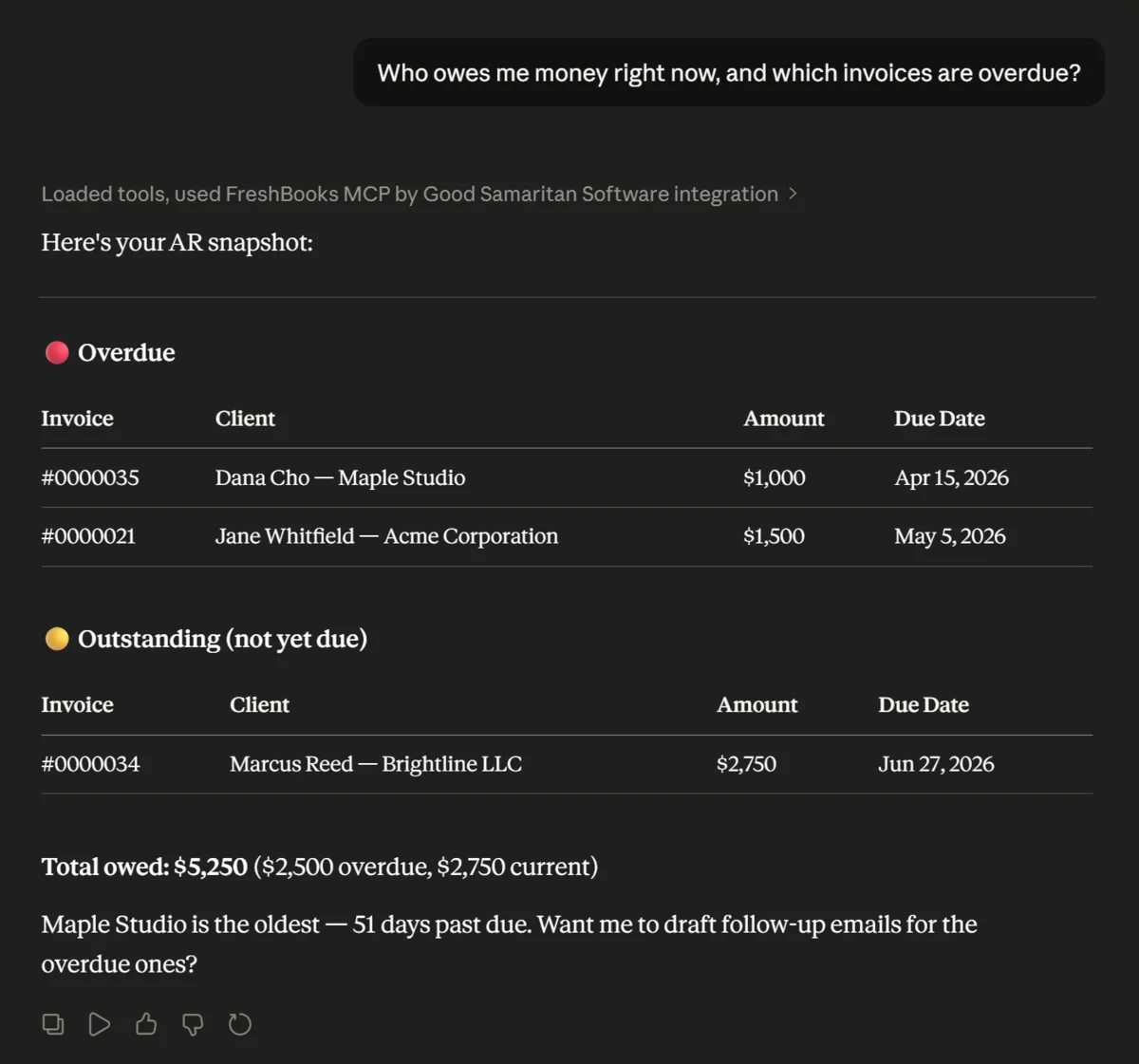
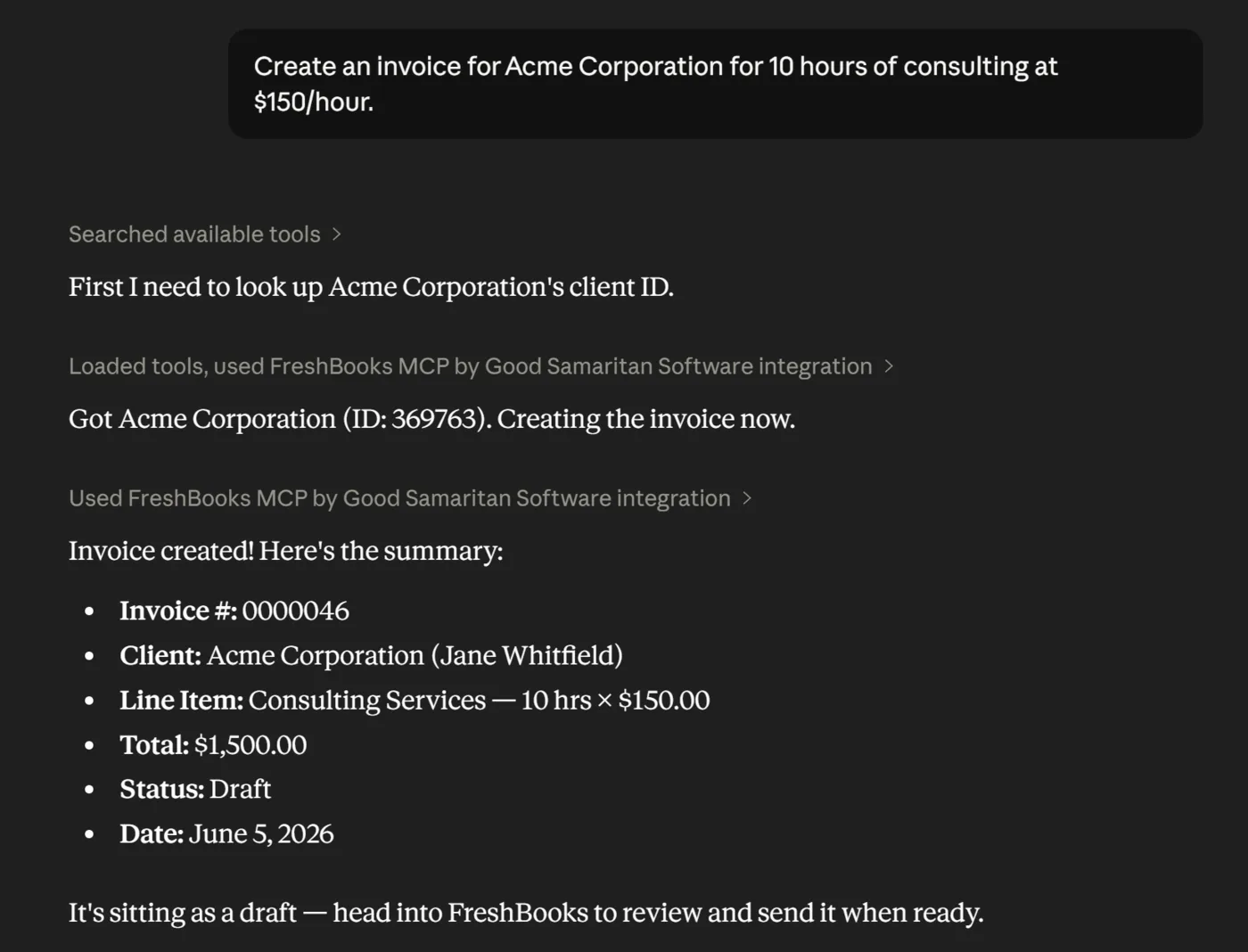
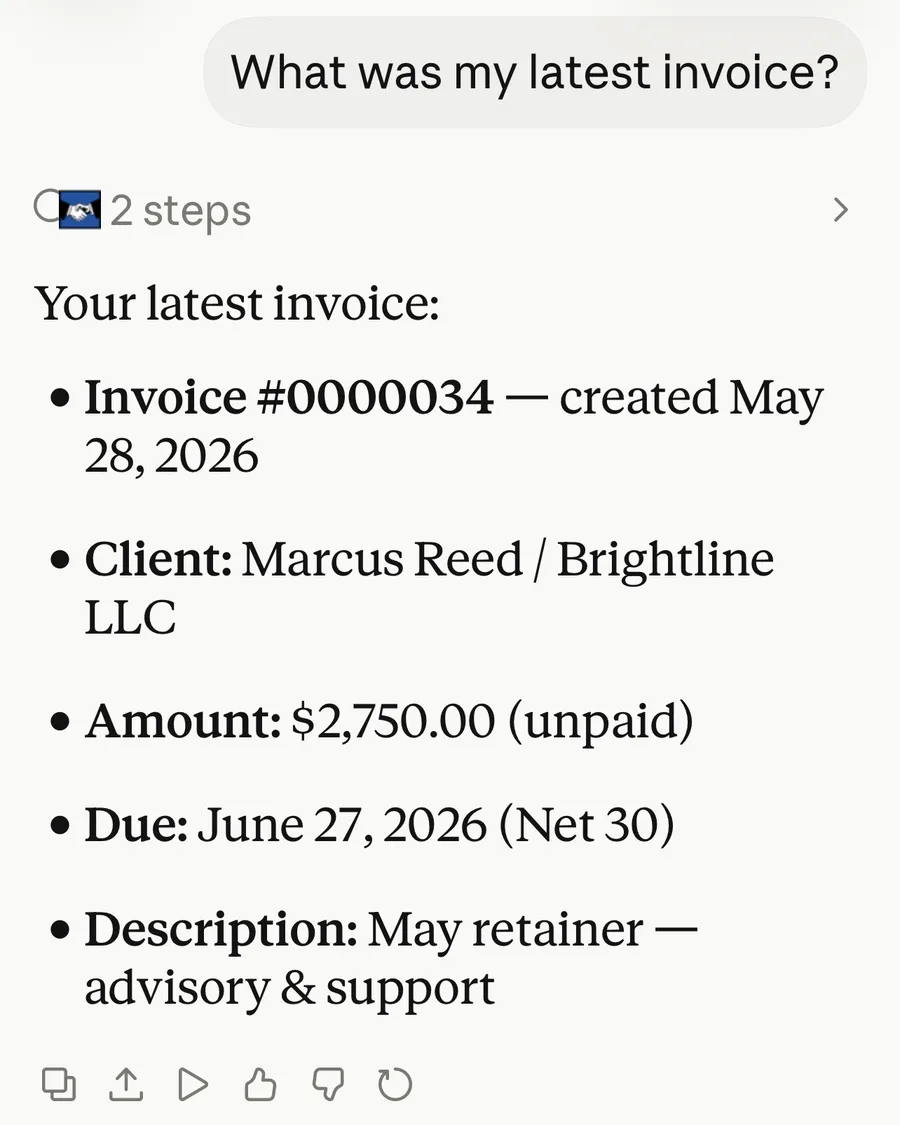
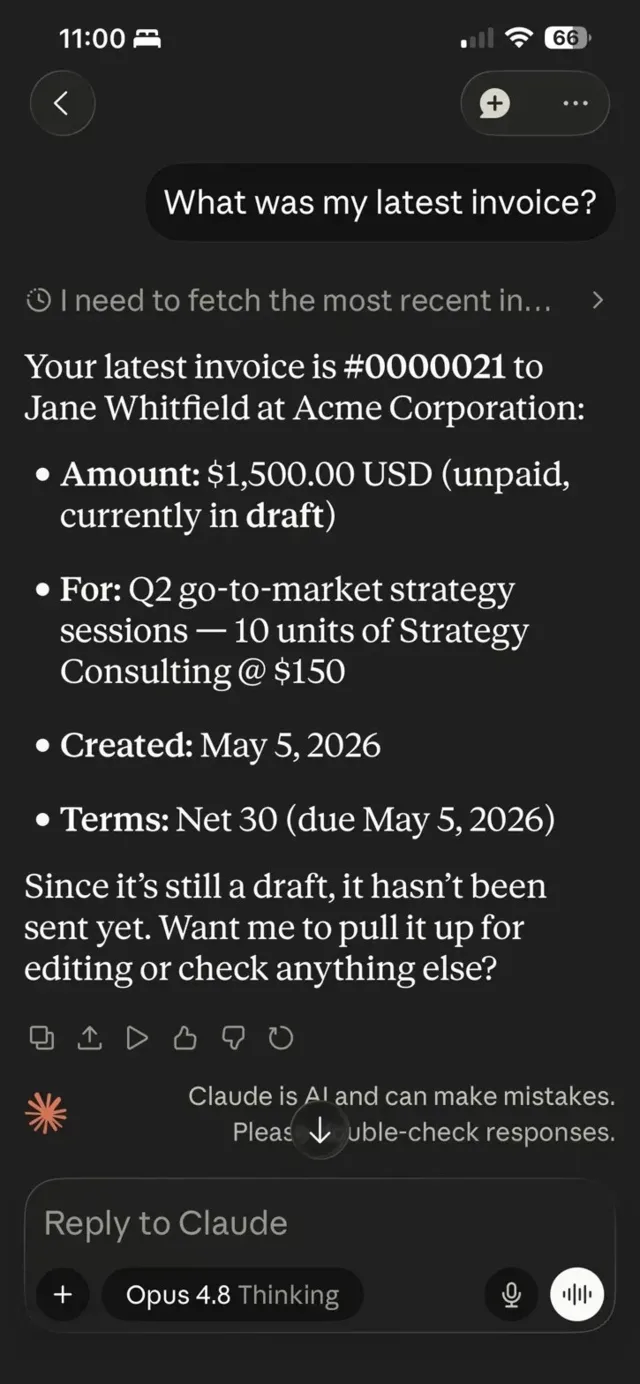
“Create an invoice for Acme Corporation.” Done, as a draft, in FreshBooks.
Real conversations in Claude on desktop and phone, using a demo FreshBooks account.
What your AI can access
- Clients
- Invoices & payments
- Estimates
- Expenses & bills
- Projects, tasks & time entries
- Reports (profit & loss, tax summary, payments collected)
Read-only by default: your assistant can look but not touch until you turn on write access, and you can set permissions per action.
What it does
AppConnect links your FreshBooks account to AI assistants like Claude and ChatGPT. Once connected, you can run your books the same way you’d talk to a colleague: “Who owes me money?”, “Draft an invoice for Sarah for last week’s work,” or “Log this receipt as an expense.” The assistant reads and writes directly to your account, so there’s no copying and pasting between tools.
AppConnect is built for people who run their business on FreshBooks but don’t want to spend the day clicking through it: drafting invoices, logging expenses, chasing overdue payments, and keeping projects and time tracking current.
Your data stays yours
- AppConnect doesn’t store your app’s data — nothing is copied, cached, or synced.
- The only thing logged is which actions were used — never their content.
- Per-action permissions: full access, read-only, or custom.
- Revoke access anytime, from either side.
- You sign in via secure authorization — no passwords are ever shared.
How to set it up
Pick where you use AI. Takes about a minute. After you sign up, your dashboard walks you through the same steps.
https://appconnect.goodsamsoftware.com/api/mcpIn Claude
- Open Claude (desktop app or claude.ai) and start a chat.
- Click Customize, then choose "Connectors" at the top (Claude's own button names).
- Click "Add" in the top right — that opens "Add custom connector".
- Name it FreshBooks and paste your app's address above into the server URL field.
- Click "Continue" and sign in when prompted.
Simple pricing
One app, $29.Every app, $49.
Single app
Perfect to start. Connect one app and talk to it.
Per month, or $290 a year (2 months free).
- 25 free calls to start — no card needed
- One connected app, fully unlocked
- All of that app’s tools
- AES-256 encryption
- Cancel anytime
All apps, the best value
Get everything. Connect every app and talk to your whole business.
Per month, or $490 a year (2 months free).
- 25 free calls to start — no card needed
- Every available app included
- All tools across every app
- AES-256 encryption
- Cancel anytime
Try it with 25 free calls · no card needed. Plans bill from the day you subscribe, cancel anytime.
View full pricing detailsCurrently available in the United States only. Not in the US? Join the waitlist
Ready to talk to FreshBooks?
25 free calls · no card needed · No technical setup · Cancel anytime